

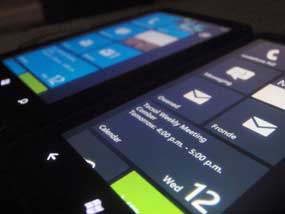
 Forum Xda-Developers telah berhasil membubuhkan themes pribadi dalam ponsel Windows Phone 7 (WP7) HTC. Metodenya cukup mudah, dengan mengedit registry pada bagian pre-config tertentu, dalam hal ini warna.
Percobaan yang telah mereka lakukan adalah mengubah warna themes sesuai kehendak pengguna, diluar warna-warna default. Trik editing registry berikut dipaparkan oleh salah satu member bernama 'Xboxmod'. Namun segala sesuatu yang telah dilakukan, resiko ditanggung pengguna.
Berikut adalah langkah-langkahnya:
1. Untuk memulainya, pastikan HTC Connection Setup telah diinstal terlebih dahulu. Aplikasi ini dapat dicari di 'HTC Apps' dalam Marketplace. Bagi yang belum bisa melakukan unlock, anda harus butuh seorang developer untuk melakukannya. Gunakan saja ChevronWP7. Jika sudah, install TouchXplorer ke ponsel WP7.
2. Buat tiga jenis registry edit seperti di bawah ini. Berikut adalah contoh untuk merubah warna themes dari pink ke biru.
File Pertama:
REGEDIT4
[HKEY_LOCAL_MACHINE\ControlPanel\Themes\0\Accents]
"0"=dword:FF339933
"1"=dword:FFE51400
"2"=dword:FF1BA1E2
"3"=dword:FFF09609
"5"=dword:FF0066FF
"6"=dword:FF292a30
"7"=dword:FF8CBF26
"8"=dword:FF00ABA9
"9"=dword:FFA200FF
"10"=dword:FFFF0097
File Kedua:
REGEDIT4
[HKEY_LOCAL_MACHINE\ControlPanel\Themes\1\Accents]
"0"=dword:FF339933
"1"=dword:FFE51400
"2"=dword:FF1BA1E2
"3"=dword:FFF09609
"5"=dword:FF0066FF
"6"=dword:FF292a30
"7"=dword:FF8CBF26
"8"=dword:FF00ABA9
"9"=dword:FFA200FF
"10"=dword:FFFF0097
File Ketiga:
[HKEY_LOCAL_MACHINE\ControlPanel\Themes\AccentsDisp layName\0409]
"0"="Green" ;
"1"="Red" ;
"2"="Blue" ;
"3"="Orange" ;
"5"="Pink" ;
"6"="Brown" ;
"7"="Lime" ;
"8"="Teal" ;
"9"="Purple" ;
"10"="Magenta" ;
3. Save ketiga notepad diatas dengan ekstensi '.rgu'
4. Gunakan tool dalam RAR berikut bernama 'rgu 2-xml.exe' untuk mengkonversi salah satu file tersebut.
5. Ganti nama file menjadi 'CustClear.provxml'
6. Gunakan tool kedua dalam RAR bernama 'XBMOD.Files.Deployer.exe' untuk membuat file XAP dalam ponsel.
7. Jalankan XAP file dalam ponsel, menggunakan developer tools.
8. Jalankan aplikasi, kemudian buka TouchXplorer dan cari 'MyRingtones' dalam 'My Document'. Copy file yang ada di sana.
9. Paste file ke direktori \Windows
10. Jalankan HTC Connection setup. Themes sekarang telah ditambahkan.
Selamat mencoba!
Read More...


